Review ride records
See riders, driver, boat, activity, active duration, pauses, notes, and payment status.
Web dashboard
The web dashboard receives synchronized tablet sessions and connects them with people, boats, tariffs, payments, invoices, and reports.
Request a demo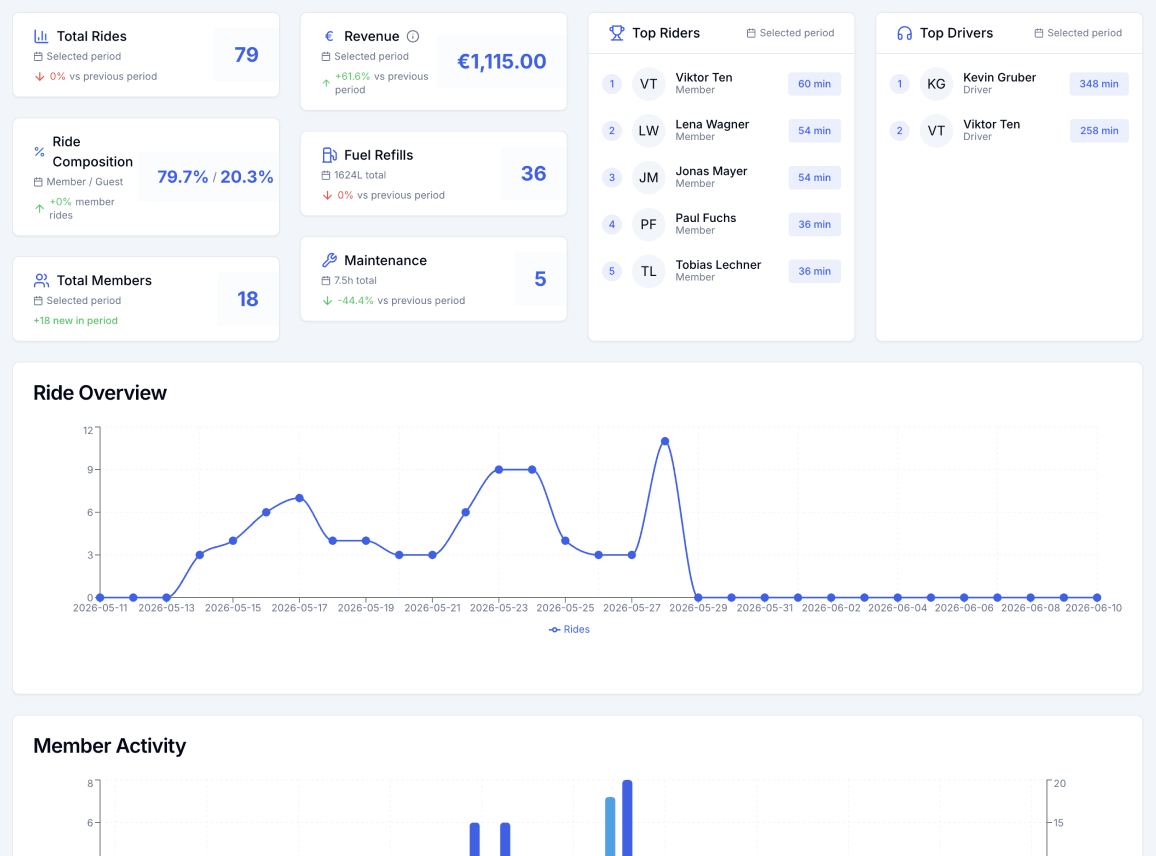
See riders, driver, boat, activity, active duration, pauses, notes, and payment status.
Manage participants, guests, invitations, roles, driver PINs, and CSV imports and exports.
Configure tariffs, start billing runs, and create, email, or download invoices.
Filter operations metrics by date and export grouped ride reports to CSV.
Staff record the selected payment method with the billing record. WSKI Data does not charge cards.
The dashboard can map synchronized boat positions around a ride when valid samples are available.
Yes. Authorized users can create invoices, email them, and download invoice PDFs.
Yes. Ride reports can be filtered, grouped, sorted, and exported to CSV.
No. It records payment methods and settlement, but it does not charge a card.
We will show rides, billing actions, and reports using your workflow.