Fuel volume
Record the fuel volume and engine-hour reading after a refill.
Boat operations
WSKI Data associates sessions, boat positions, refills, and maintenance time with the selected boat. Staff record data on the tablet and review it in the dashboard.
Request a demo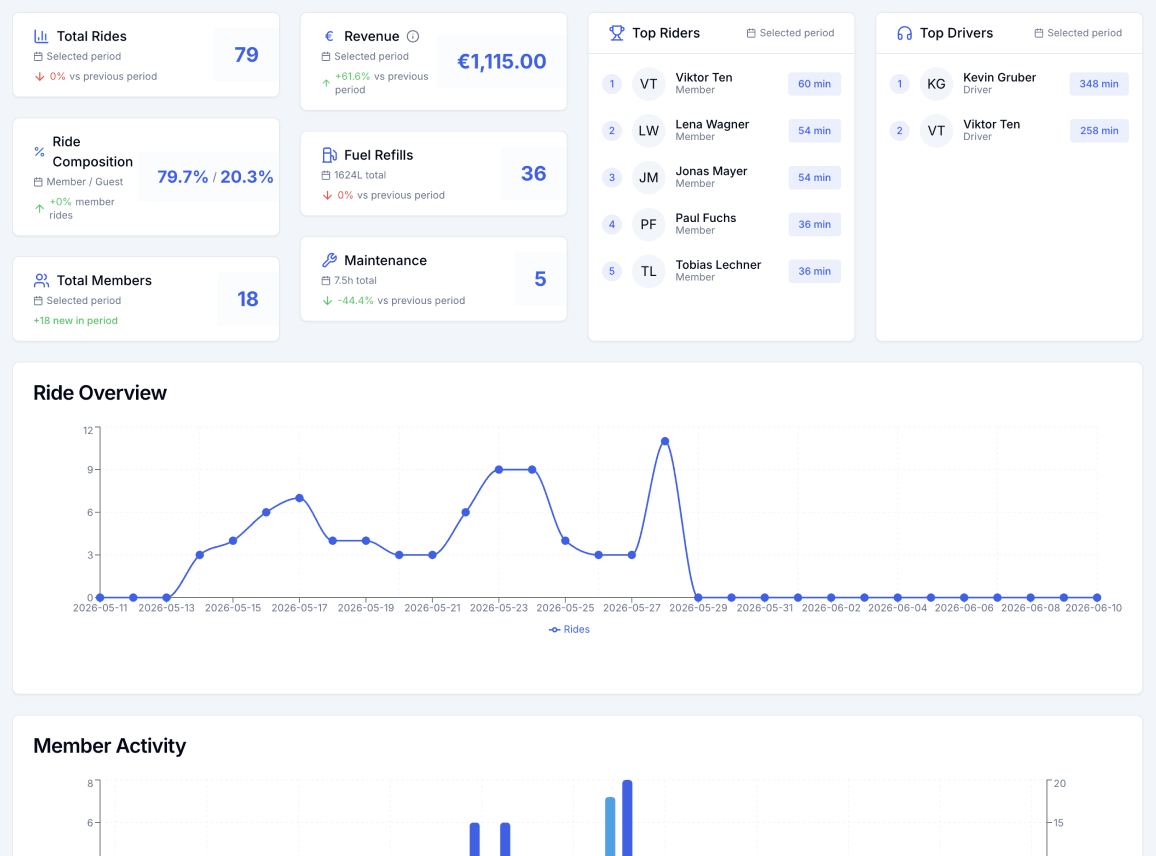
Record the fuel volume and engine-hour reading after a refill.
Run a maintenance timer and store its start, end, duration, boat, and driver.
Collect boat positions with the required permissions and inspect available samples in the dashboard.
Review sessions, refills, and maintenance records for the selected boat.
Staff can enter refill and maintenance data on the Android tablet. Completed records can wait locally during a connection loss.
Authorized users can review, create, update, or delete refill and maintenance records in the web dashboard.
No. It records maintenance time but does not schedule service or send reminders.
No. The app collects position samples when permissions and valid GPS fixes are available.
Yes. Completed refill records can wait locally and synchronize later.
We will show refills, maintenance, and GPS using your boats.